Secure · Virtual SOC workspace
One investigation workspace for your team, across every plant.
Alerts become incidents, incidents become cases, and every case opens with the protocol decode, the asset context and a plain-language summary. Your team spends its time deciding, not assembling.
Why it matters
Fewer people, more plants
Critical alerts become incidents on their own. Analysts start from a prepared case rather than raw events.
Plain-language summaries that stay offline
AI writes the first draft of every explanation and post-incident summary, inside your network. It never decides what is an attack and cannot change a severity.
Clean shift changes
Handover notes, case notes and approvals live in one place, so the night shift picks up exactly where the day shift stopped.
INC-0412   Unauthorised register write to PLC-07
Engineering workstation EWS-02 wrote 4000 to register 40001
at 02:34, outside its usual hours and above the learned range.
Two earlier writes from the same source were found by retro-hunt.
Suggested next step: review remediation card RC-118.
Illustrative values
In the product
See it on screen.
The real Synaptic vSOC interface, running on the built-in demo dataset.
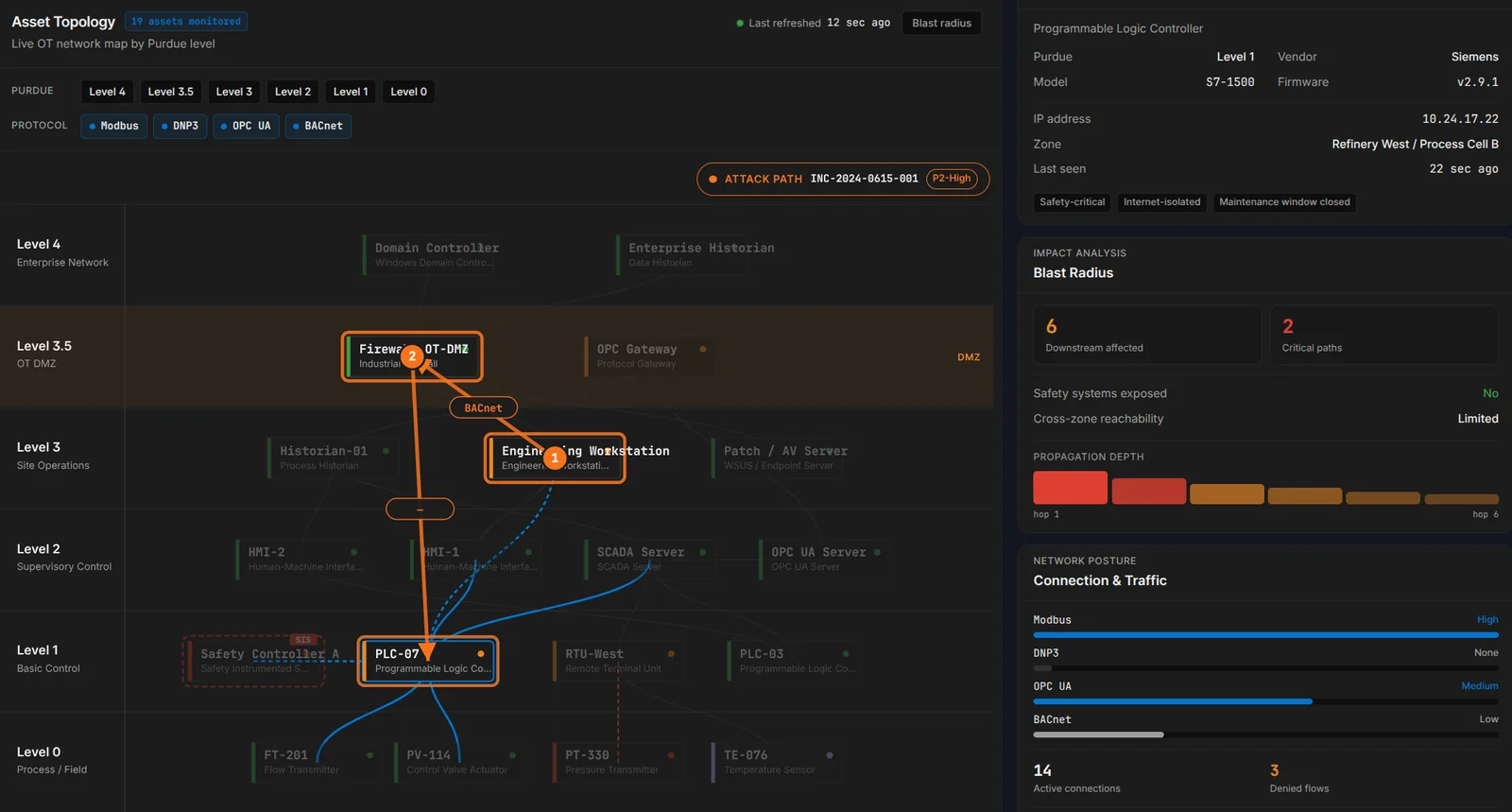
- 1Attack path on the Purdue map
- 2Safety systems marked in reach
- 3Downstream reach and critical paths
- 4Propagation depth, hop by hop
Capabilities
What's included
Virtual SOC workspace is part of the full Synaptic OT suite. One licence covers every capability on this site.
Alert to incident to case
Five alert families feed one queue. Tier 1 alerts auto-promote to incidents; Tier 2 waits for an analyst.
Triage workspace
Protocol decode, asset context (vendor, firmware, Purdue level), baseline at alert time and AI summary on one screen. Confirm, escalate or close as false positive.
Investigation graph
Attack-chain graph, packet timeline and cross-event correlation, plus blast radius for any proposed action.
IT-OT lateral movement
SIEM alerts are checked against authorised engineering workstations and maintenance windows, with a clear verdict on each.
Role-based workspaces
Separate views for analysts, OT engineers, managers, executives, administrators and MSSP operators, with SSO and MFA.
Questions
Asked by OT and security teams
Does the AI need internet access?
No. The assistant runs inside your deployment, including fully air-gapped sites. If it is unavailable, analysts get template explanations and detection carries on unaffected.
Can the AI suppress an alert?
No. It only annotates. Severity and detection come from deterministic rules.
Is the Virtual SOC a managed service?
No. The Virtual SOC is a workspace inside the software you run on your own infrastructure. Your team, or a partner you choose, does the triage and makes every decision. Synaptic does not offer a managed service.
Works with
See it live, then on your own traffic.
Book a demo with an engineer who built it. When you are ready, request an evaluation licence and run Synaptic OT on a mirror port or a PCAP from your plant, fully offline if you need it to be.